
To correctly calculate CPI-based Rent Increases, setup a rent increase (created in the Tenant Market section) that references a CPI inflation rate (created in the Property Market section).
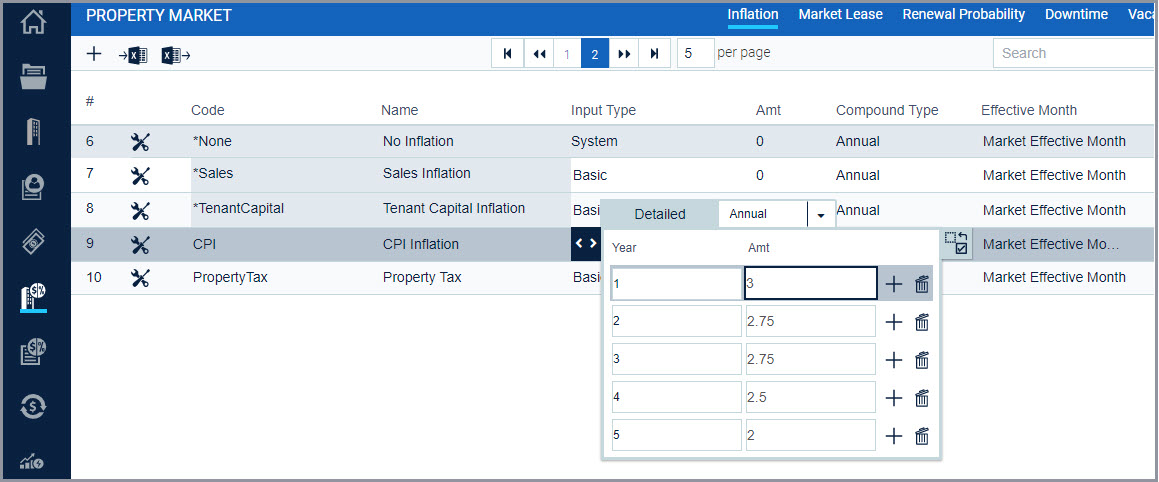
CPI Inflation on the Property Market Inflation tab. Use a Detailed Input Type to define the desired CPI Inflation for each year
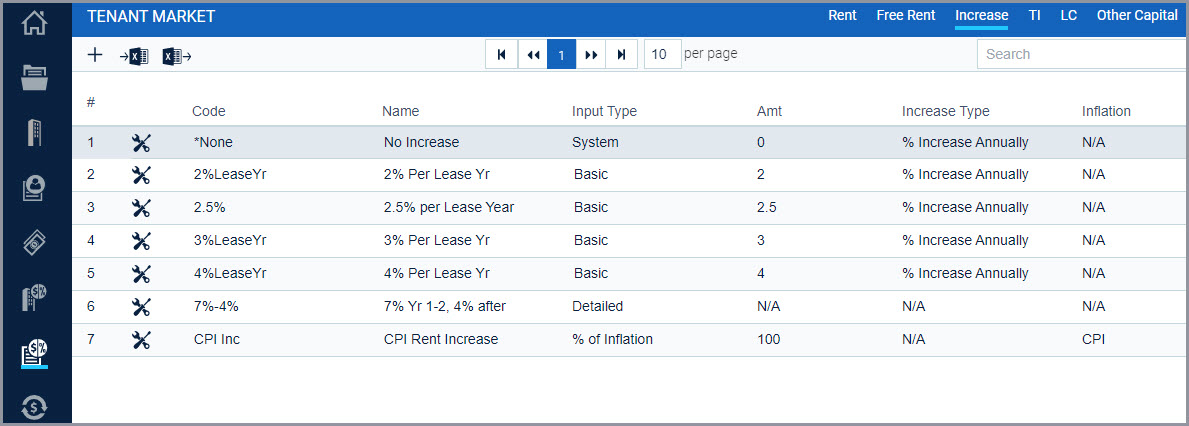
CPI Rent Increase on the Tenant Market Increase tab. Use the Input Type = % of Inflation, then assign it as 100% of the CPI Inflation created in step 1. Note the “Effective” selection can be Calendar Year, Lease Year or any specific month.
On the Rent Roll, apply the CPI Increase to the tenant’s rent:

Comments
0 comments
Please sign in to leave a comment.