
Management Fees are a Budget level expedite that is applied/assigned on the Building Tab General page.
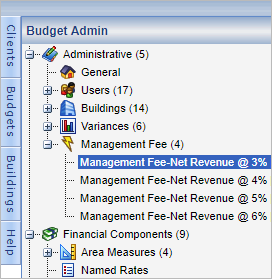
Columns
Name - Title/unique identifier. When applied on the Building Tab General, the Name is displayed in the Value/Selection column in the corresponding budgeting tab based on the assigned Book to Account.
Formulation - System defined Active Budget level Type = % of Line Item Formulations.
Book to Account - Account in which the results are recorded; displayed in the corresponding budgeting tab based on the account's Display setting in the Chart of Accounts.
Percent (%) - Percentage of applied Formulation
Portfolio - The buildings that can use it: Read more: Client Admin Portfolios
Administer
Info: Management Fee(s) are administered on the Building Tab General page.

Management Fee
Named Mgmt Fee: - List of applicable Management Fees.
Minimum: Value
Minimum Amt Type:
- $Amount/Year
- $/Amount/Month
- $/SF/Year
- $/SF/Month
Maximum: Value
Maximum Amt Type:
- $Amount/Year
- $/Amount/Month
- $/SF/Year
- $/SF/Month
Note: $/SF amount types use the static NRA (Net Rentable Area:) on the Building Tab General page.
Info: On the corresponding budgeting tab, the Input Type = System and is not editable.
Edit
Note: Management Fees are global; editing them will change and update all buildings currently using the fee.
Comments
0 comments
Article is closed for comments.